
The UEFA Champions League tournament is not available in FIFA 17 as EA Sports do not have the UEFA Champions League license. But, using the Tournament Mode in FIFA 17, you would be able to set up a tournament similar to the official UEFA Champions League and simulate the UCL tournament in FIFA 17.
Before we go and create the simulated Champions League tournament in FIFA 17, lets just review the current UEFA Champions League (2016/2017) clubs and groups, and most importantly, see which current UEFA CL teams do not feature in FIFA 17:
UEFA Champions League 2016/17 - Group Standings
Teams in red are not available in FIFA 17. You can replace them with the suggested teams in brackets.
- Arsenal
- Basel
- Ludogorets Razgrad (Olympiacos CFP)
- Paris Saint Germain
- SSC Napoli
- Benfica
- Besiktas
- Dynamo Kyiv
- Barcelona
- Manchester City
- Borussia Moenchengladbach
- Celtic
- Bayern Munich
- Atletico Madrid
- PSV Eindhoven
- FC Rostov
- Monaco
- Tottenham Hotspur
- Bayer Leverkusen
- CSKA Moscow
- Real Madrid
- Borussia Dortmund
- Sporting CP
- Legia Warszawa
- Leicester City
- FC Koebenhavn
- FC Porto
- Club Brugge
- Juventus
- Sevilla
- Lyon
- Dinamo Zagreb (Shakhtar Donetsk)
As you can see above, there are only 2 clubs that are not available in FIFA 17. You can replace these teams with some other teams from the rest of the world teams or any other leagues you like. Here is our suggestion for the replacement:
Teams Replacement
Replace the unavailable teams with the available ones
- Ludogorets Razgrad >> Olympiacos CFP (Rest of the World)
- Dinamo Zagreb >> Shakhtar Donetsk (Rest of the World)
After this, you can start setting up your UEFA CL tournament in FIFA 17 by following the steps given below:

Getting Started
- Go to PLAY > TOURNAMENTS > CUSTOM TOURNAMENT menu in FIFA 17
- Select tournament type Group & Knockout
- Set the number of teams to 32
- Auto fill teams option should be set to NO
- Name the tournament as UEFA CL
- Advanced setting should be turned ON
Now, select Advance and make the following changes:
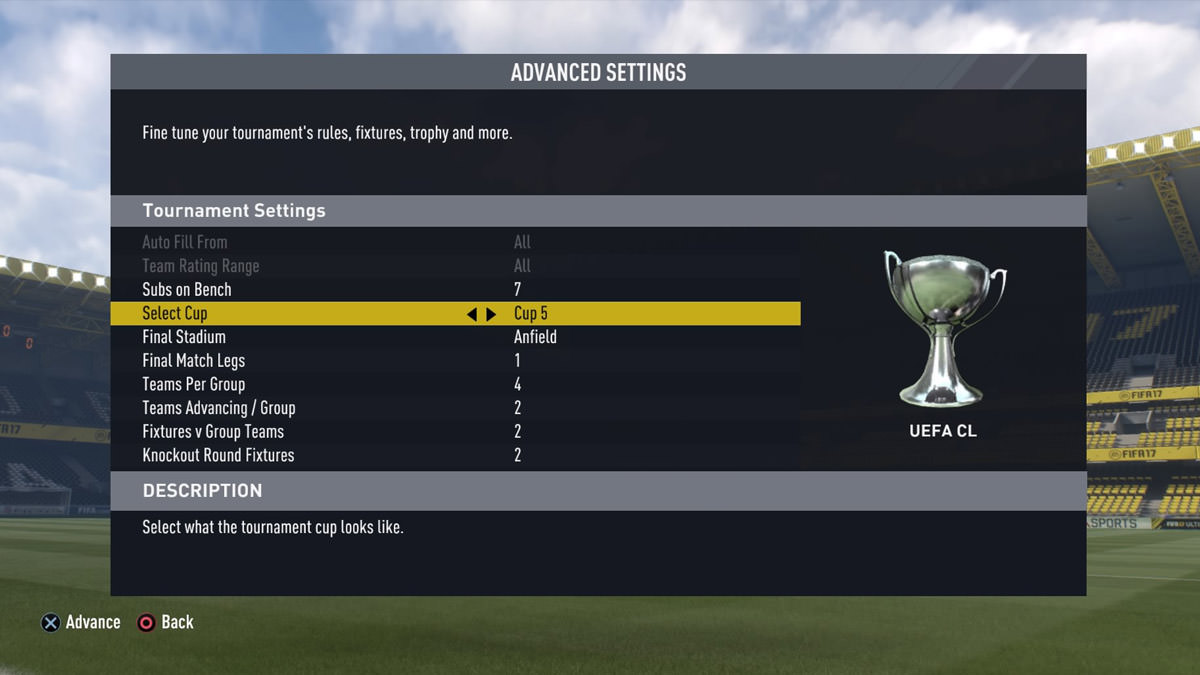
Advanced Settings
- Subs on Bench: 7
- Select Cup: Cup 5
- Final Stadium: Anfield (Or any other stadium you like)
- Final Match Legs: 1
- Teams Per Group: 4
- Teams Advancing / Group: 2
- Fixtures v Group Teams: 2
- Knockout Round Fixtures: 2
Then, go ahead and select the teams as the above group list. After this, re-arrange the group as the current UEFA Champions League standings are shown above.
Now you can save your tournament and enjoy the UEFA Champions League Tournament in FIFA 17.
Comments 14
You have to do it from beginning?
Is this due to CL license restriction? Games can't be played at night?